Research-based comparison · 9 min read · Source check: November 4, 2026
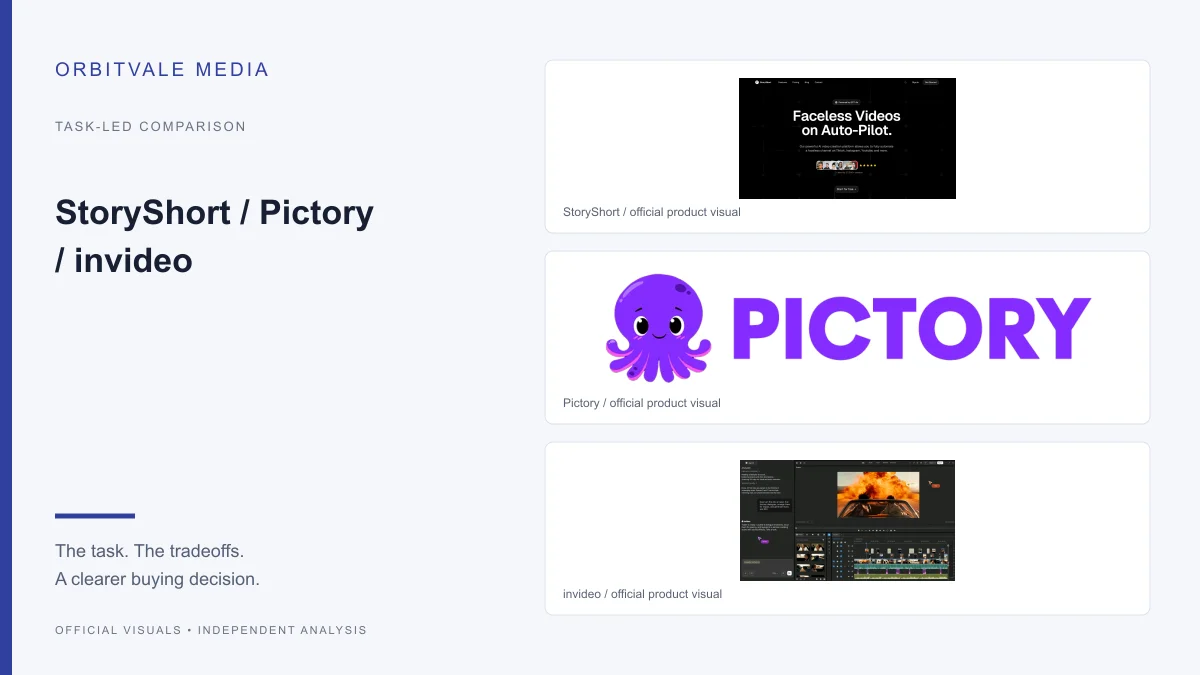
The useful distinction is where production begins. StoryShort is a relevant route for recurring generated short narratives. Pictory is worth testing when verified text needs adaptation into video. invideo is a broad candidate for brief-led campaign production. Feature overlap should not obscure the kind of source material and editorial control the team needs.
Table of Contents
The common task
Produce a 90-second explanation of choosing a notebook. Use a verified script, actual product facts and three connected scenes. Then adapt the explanation into another ratio and revise one material description.
This is a proposed comparison, not a report of controlled product tests. Use the same source material, required outcome and review standard for every candidate. When products solve different stages, compare the complete architecture instead of forcing an artificial winner.
The decision in one view
| Dimension | What to compare |
|---|---|
| Source | Separate an original series outline, an existing article and a campaign brief. |
| Continuity | Review characters, objects and terminology across scenes and episodes. |
| Media accuracy | Use real product evidence where a generated or stock scene would imply a specific physical claim. |
| Revisions | Check whether a changed sentence requires one scene or a much larger regeneration. |
| Usage | Translate credits and plan limits into the same accepted episodes, not theoretical output capacity. |
Where each candidate earns a place
StoryShort
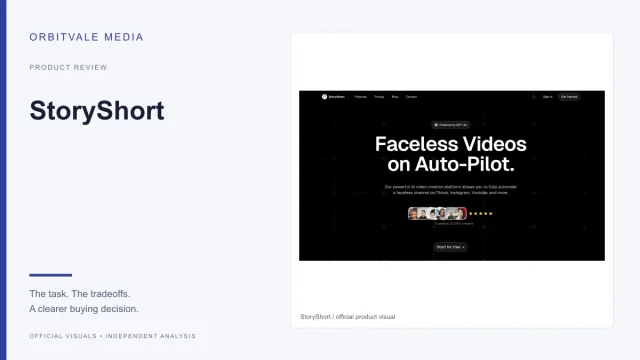
StoryShort is relevant when production begins with an idea or script and needs a connected short-video story. Its appeal is the connection between narrative, scenes and narration rather than the finishing of an existing interview. The editorial challenge is that an automatically assembled episode can look complete while its explanation is weak or its recurring character changes identity.
Strong-fit brief: A creator with an original educational or narrative concept and a person who can approve scripts and complete episodes.
Weak-fit brief: A plan built around unattended uploads, recycled claims or an assumption that generated output guarantees views and revenue.
Full StoryShort analysis · Official website.
Pictory
Pictory is worth investigating when a publisher has written material and wants a more approachable video version. Script-to-video and repurposing are useful only if the adaptation respects how people watch: an article paragraph is often too dense to narrate unchanged, and a stock clip can imply a specific event that never happened.
Strong-fit brief: A small publisher adapting verified scripts or articles into explainers with human visual and editorial review.
Weak-fit brief: A production demanding exact documentary footage from generic stock or a plan to publish entire articles as unedited narration.
Full Pictory analysis · Official website.
invideo
invideo offers a broad AI video production proposition: start with a brief and assemble a finished communication using generative and editing capabilities. Breadth can be helpful to a small team that otherwise moves between several tools. It also makes the selected workflow, model and usage rules central to the purchase.
Strong-fit brief: A marketer creating repeatable campaign or explainer variants from an approved brief and real source material.
Weak-fit brief: A buyer expecting a broad prompt to produce accurate branded communication without reviewing generated scenes, claims and export limits.
Full invideo analysis · Official website.
Run the evaluation through six checkpoints
1. Define the source and ownership
| Candidate | Product-specific task |
|---|---|
| StoryShort | Write the series promise: Describe who watches, what one episode teaches and the standard structure. A recognizable editorial promise matters more than a daily upload target. |
| Pictory | Choose one viewer question: Limit the adaptation to a decision or task. Remove article sections that do not support that immediate outcome. |
| invideo | Freeze the product facts: Use actual dimensions, images and permitted claims. Keep them separate from the creative direction. |
2. Prepare the representative case
| Candidate | Product-specific task |
|---|---|
| StoryShort | Approve a factual outline: For the notebook example, verify materials and distinguish a preference from a product claim. Remove unsupported statistics before generation. |
| Pictory | Write a spoken script: Read it aloud before generation. Rewrite clauses that sound clear on paper but awkward in speech. |
| invideo | Create one small variant: Begin with the hardest aspect ratio and the most important factual scene rather than generating a full campaign immediately. |
3. Inspect the first accepted result
| Candidate | Product-specific task |
|---|---|
| StoryShort | Create three connected scenes: Introduce the choice, explain the difference and show a useful next action. Each scene should advance the same question. |
| Pictory | Prepare a shot list: Describe what each scene needs to explain. Mark where real product photos or footage are mandatory. |
| invideo | Log selected media routes: Record models, assets and allowances. Check which actions consume the current plan’s credits. |
4. Introduce an ordinary exception
| Candidate | Product-specific task |
|---|---|
| StoryShort | Keep a continuity sheet: Record character appearance, important objects and voice choices. Use it when evaluating a changed episode rather than relying on memory. |
| Pictory | Inspect scene meaning: Replace mismatched stock, misleading diagrams and visuals that contradict the narration. |
| invideo | Replace a mistaken detail: Change one product attribute and track the resulting work. Judge editability by the correction the business actually needs. |
5. Ask another operator
| Candidate | Product-specific task |
|---|---|
| StoryShort | Review the complete audio: Check emphasis, unfamiliar words and sentence transitions. Correct the approved script before regenerating every visual scene. |
| Pictory | Check audio and captions: Listen for terminology and inspect the exact measurement on screen. Keep the spoken and written instruction consistent. |
| invideo | Compare final formats: Watch the social, explainer and retailer outputs in their intended context. Check that the same product promise survives. |
6. Price and document the result
| Candidate | Product-specific task |
|---|---|
| StoryShort | Compare three final episodes: Watch them consecutively on a phone. Record repetition, identity changes, editorial corrections and final minutes accepted for publication. |
| Pictory | Test the complete explanation: Ask someone unfamiliar with the article to describe the next step. Repair the confusing section before expanding the workflow. |
| invideo | Approve and archive: Keep the accepted files, brief and source references. The final campaign should remain usable even if the creation interface changes. |
Operating questions behind the comparison
Make one episode answer one question
A strong short explanation has a recognizable problem, a mechanism and a useful next step. Attractive visuals should carry that explanation rather than decorate unrelated sentences. Write the answer in plain language before creating the scene list.
For a recurring series, keep the structure consistent but vary the evidence and example. A repeated intro can help recognition; a repeated body with swapped nouns quickly feels generic. The editorial promise is what the viewer learns, not the number of episodes the production tool can generate.
Keep a continuity sheet
Record the recurring narrator, character, important objects, visual treatment and terminology. A scene change should be intentional. If a person’s clothing changes between two moments of the same explanation, or a product has another shape, the viewer spends attention resolving the inconsistency.
Review three episodes together. An individual output can appear coherent while the series drifts. Test a revised scene and check whether it fits the already approved material. Continuity is a production requirement that should appear in the cost estimate, because rejected scenes may still use allowance.
Adapt written material for speech
Remove long clauses, explain technical terms and leave space for the visual. A paragraph that works in an article may be difficult to follow when heard once. Read the script aloud before generation and mark words whose pronunciation matters.
Captions, narration and on-screen labels should make the same claim. If one version loses a qualification, repair it at the script level. A visual showing an inaccurate procedure is not redeemed by correct narration; review the explanation across both channels.
Separate production output from channel economics
A finished episode does not establish that an audience wants it or that a platform will monetize it. Keep production acceptance, publication eligibility and audience performance in distinct records. Evaluate originality and permissions before adding the video to a queue.
Use the first small series to learn where editorial time goes. Research, script revision, scene repair and final review may outweigh initial generation. The decision to expand should follow useful accepted episodes and actual audience evidence, not a theoretical monthly video capacity.
Compare the same complete cost
StoryShort cost drivers
For 16 monthly episodes, assume each needs 12 minutes of script review and 8 minutes of final review. That is 320 minutes before research and scene corrections. Add the current credit allowance and a revision reserve. If half the episodes require two extra generated scenes, price those 16 scenes explicitly instead of calling them free capacity.
Check current StoryShort pricing.
Pictory cost drivers
For eight 90-second videos, the target is 12 finished minutes. If script adaptation takes 20 minutes each, editorial preparation already totals 160 minutes. Add scene replacement, narration revisions and the current allowance. Compare this complete workflow with a simple recorded demonstration.
Check current Pictory pricing.
invideo cost drivers
Four audience versions in three ratios create 12 final outputs before a single correction. If three need two revised scenes, include those six scenes in the estimate. Ask how the current account counts generation, editing and export, then add the review time for each final variation.
Check current invideo pricing.
| Shared cost line | Comparable assumption |
|---|---|
| Required subscription | Use the tier that contains the actual workflow and record currency, billing interval and team size. |
| Variable services | Count the real billing unit and separately priced carrier, payment, communication or model services. |
| Setup and change | Include source cleanup, integration, training and the first meaningful revision. |
| Review and exceptions | Budget the people who approve outputs, investigate discrepancies and complete customer follow-up. |
| What disappears | Only count a saving when the old subscription or manual task can actually be retired. |
Reasons to reject a candidate
StoryShort limits for this task
- A repeatable format becomes repetitive: Series structure is useful, but every episode needs its own example and insight. Replacing a noun in an identical script weakens the channel.
- Plausible instructional errors: Generated scenes can show the wrong technique or object. For educational material, compare them with the factual explanation.
- Distribution is a separate job: Publishing automation does not establish platform acceptance, originality or viewer response. Keep those decisions in a separate distribution plan.
Pictory limits for this task
- Literal article reading: An article can be too dense for video. Adapt the explanation instead of copying paragraphs into narration.
- Stock specificity: A generic image may be interpreted as a product or event claim. Use real evidence where specificity matters.
- Length versus value: More video minutes do not mean more useful explanation. Measure comprehension and correction work.
invideo limits for this task
- Interface changes: Older tutorials may describe a different editor or plan. Verify current controls directly.
- Premium consumption: Different models or actions may use different allowances. Price the selected production route.
- Generated product details: A polished synthetic object can misrepresent the item being sold. Use real product evidence for factual scenes.
These are evaluation questions, not assertions that a product always fails. When a limitation creates another handoff, assign an owner and price that work. If neither candidate meets the essential requirement, revise the shortlist rather than quietly weakening the requirement after seeing a polished demo.
The comparison mistake to avoid
A finished video is not proof of originality, viewer demand or monetization eligibility. Keep production acceptance and distribution evidence separate.
Our conditional recommendation
Shortlist StoryShort for a recurring narrative format, Pictory for deliberate text adaptation and invideo for a broader campaign brief, then verify the actual interface and plan. Choose the route that lets an editor correct the story efficiently. If the source explanation is weak, repair it before generating more scenes.
What to retain after deciding
Keep the original brief, selected account configuration, accepted output and changed-case result. Record which assumption would reverse the recommendation: volume, team ownership, output format or the cost of an exception. This makes the comparison useful again when the business changes. A decision to postpone a purchase is also a valid result when the process or source data is not ready.
Sources, image credits and scope
OrbitVale’s analysis combines official product information with proposed operating exercises. We have not represented these exercises as hands-on tests, measured vendor results or customer case studies. Calculations use stated assumptions. Product and plan sources were reviewed on November 4, 2026.
StoryShort: Official overview · Current pricing.
Pictory: Official overview · Current pricing.
invideo: Official overview · Current pricing.
Official visuals are credited beside each figure; they are vendor-published material, not independent test screenshots. Interactive plan displays and account-specific terms can differ. Confirm checkout, region and required entitlements before purchasing. See our editorial method and commercial disclosure.